AI Music Creation 2.0: From Short Loops to Complete Songs
The first mainstream AI music experience was a one-shot surprise. Type an absurd premise, wait a few seconds and share a short song. It was entertaining, but it did not feel like a studio. If the verse worked and the chorus failed, the usual solution was to generate everything again.
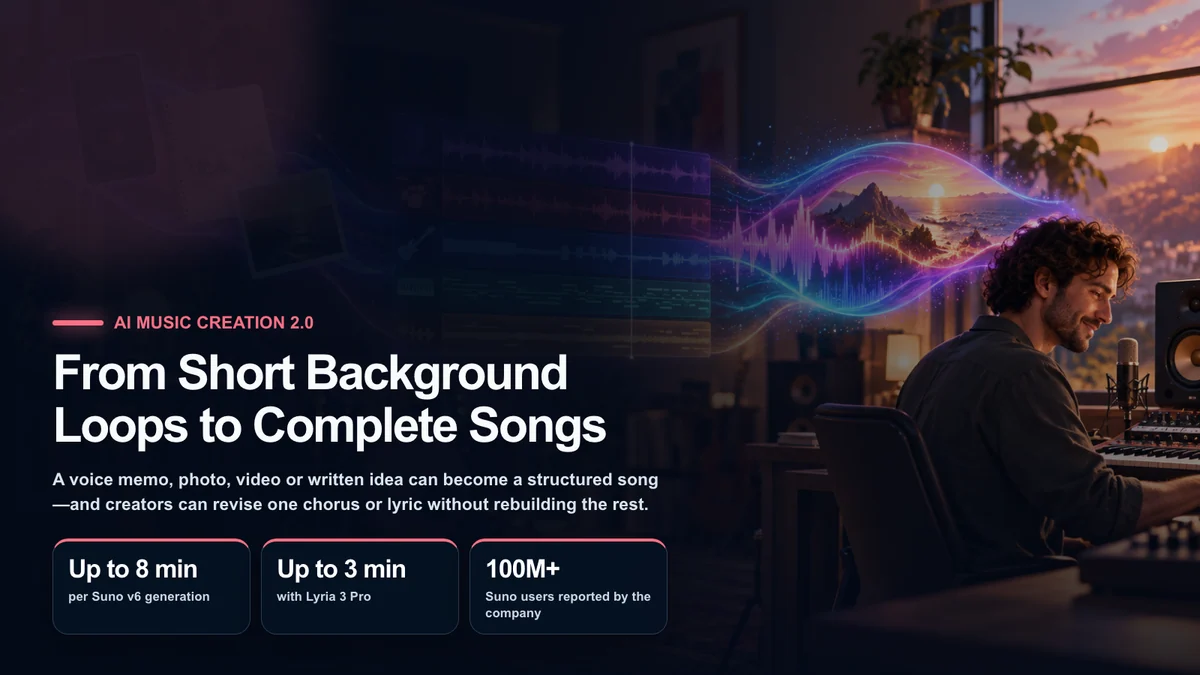
In 2026, the category is becoming much more editable. Suno v6 can revise one section in plain language, combine elements from multiple sources and begin with text, audio, an image or video. Google’s Lyria 3 turns everyday media into short tracks inside Gemini, while Lyria 3 Pro extends the idea toward structured music up to three minutes. The shift is from accepting a generated clip to directing and revising a production.
That is what this article calls AI Music Creation 2.0. The phrase is an editorial description, not an official standard. The defining feature is not simply longer audio; it is more human control over source material, structure, selection and revision.
Suno v6 is a three-model family
Suno introduced v6 on September 9, 2026 and divided the family into three options:
v6, the flagship model for consistent interpretation across genres;v6-wild, a less predictable model designed for exploration and unexpected combinations;v6-mini, a faster model available across plans for trying more ideas.
Suno says v6 and v6-wild are limited to paid users, while v6-mini is available to everyone. Its help center says all three can generate as much as eight minutes in one request. Plan details can change, so the current account page remains the final authority before starting a commercial project. Suno’s v6 help article
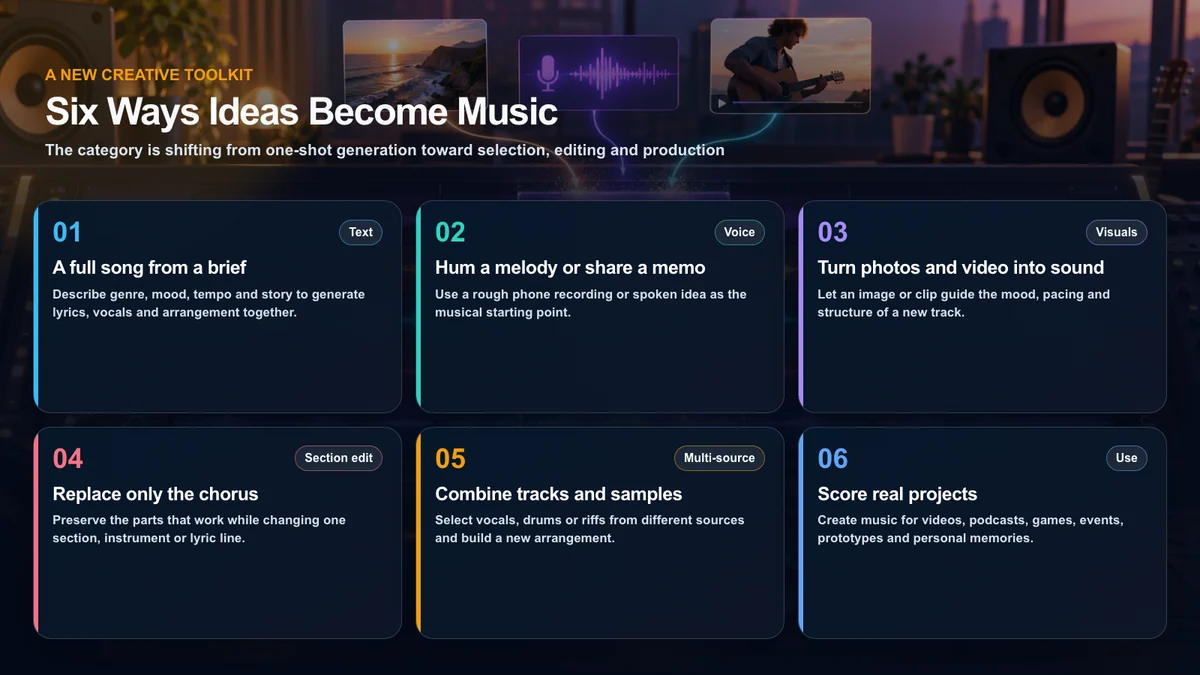
The larger change is editing. A creator can ask to replace only a chorus while preserving the rest of a track, isolate a guitar riff from a specific point, combine vocals and drums from different sources, or change one lyric without rebuilding the song. Suno also says v6 can work from text, audio, images and video. Suno’s official v6 announcement
Google is turning personal media into soundtracks
Lyria 3 in the Gemini app takes a different route. It creates 30-second tracks from a text description, photo or video, and can generate lyrics while controlling elements such as style, vocals and tempo. Google positions it as a way to give a memory, inside joke, pet video or daily moment a custom soundtrack rather than as a replacement for a full digital audio workstation. Google’s Lyria 3 announcement
Lyria 3 Pro expands the workflow to tracks of up to three minutes. Its prompts can specify sections such as an intro, verse, chorus and bridge, making it more useful for a vlog, podcast or tutorial that needs a beginning, development and ending. Google also describes paths through AI Studio and the Gemini API for developers building music features into products. Google’s Lyria 3 Pro announcement
The two products do not have identical goals. Suno emphasizes song production and detailed editing. Lyria inside Gemini emphasizes accessible multimodal expression and integration with Google’s creator ecosystem. Comparing them as a single winner misses the more useful question: which workflow matches the project?
Why the category feels different now
A good take no longer has to be discarded
When regeneration was the only edit, every attempt placed the good parts at risk. Section-level changes alter the economics of experimentation. A creator can preserve a vocal performance and try a different drum pattern, repair a weak chorus or change one line. The result becomes something to shape rather than a lottery ticket to keep or discard.
Structure can be described without a music degree
A prompt can say, “begin quietly, open up in the second chorus and end with the voice alone.” Musicians can add BPM, key, instrumentation and harmonic language, but those terms are no longer required to express a useful arc. This makes the tool accessible while still leaving room for greater precision.
Personal media becomes source material
A phone recording of a melody, a set of road-trip photos, a pet video and a journal paragraph can all supply direction. Starting with personal material also creates a stronger identity than repeatedly requesting a broad genre. Creators should use media they made or have permission to upload; a generator’s terms do not grant rights to third-party source material.
The output connects directly to creator work
YouTube videos, podcasts, game prototypes, livestream openings, event recaps and social clips all need music with a particular duration and energy curve. An AI draft can eliminate the first blank page and help a creator audition several directions against an edit before committing to a final arrangement.
AI music has reached a mass audience
Suno has said that more than 100 million people have used its service. That is a company-provided figure rather than an independently audited active-user count, but it illustrates how far the category has moved beyond a research demonstration. Axios coverage of the v6 announcement
A practical creator workflow
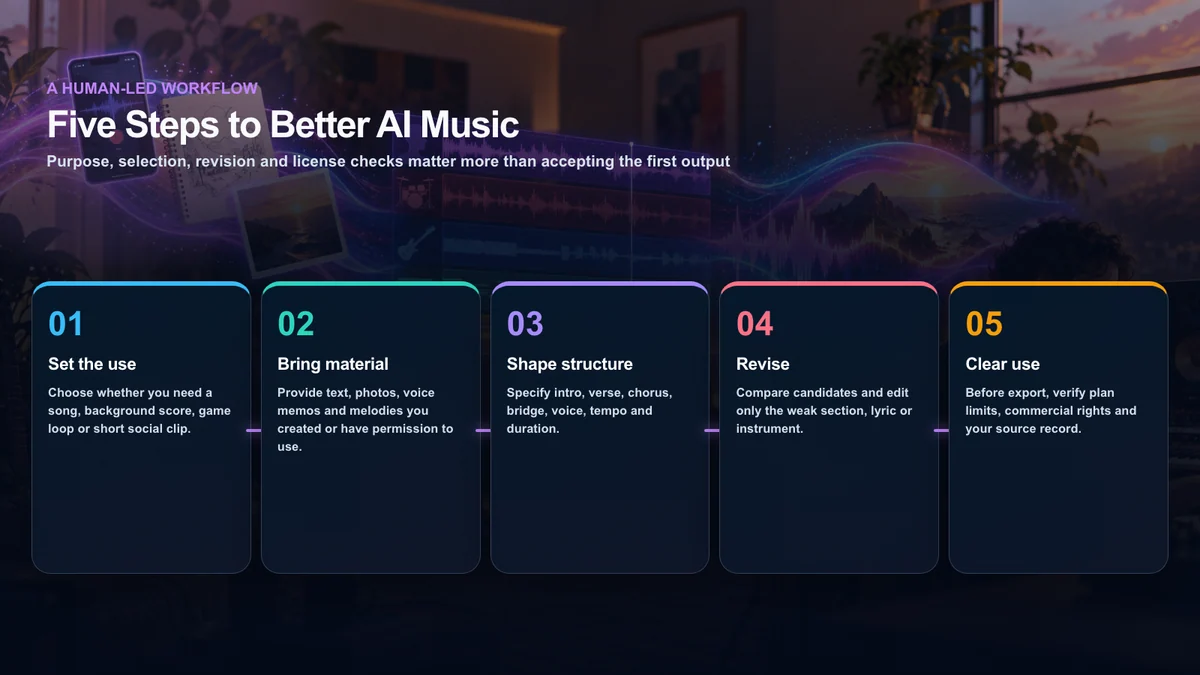
1. Define the use before the genre
“A good electronic track” is too broad. A 15-second channel sting, a three-minute podcast bed, a seamless game loop and a personal song need different structures. Set duration, destination and the role of speech before choosing instrumentation.
2. Bring material you control
Original lyrics, a melody recorded on a phone, your photographs and footage give the project a recognizable point of view. Keep the original files and note where each element came from. Do not upload a copyrighted song merely because the interface accepts audio.
3. Describe an arc
Useful prompts include:
- purpose and target duration;
- mood and time of day;
- primary instruments and instruments to avoid;
- vocal range, texture and delivery rather than a celebrity’s identity;
- intro, verse, chorus and bridge structure;
- where intensity should increase or fall;
- words or themes the lyrics must include or avoid.
4. Compare, then revise one variable
Generate a small set of candidates and identify what each one does well. Change the chorus, lyric, instrument or duration separately so it is clear which instruction caused the improvement. This is faster than stacking ten corrections into one request and losing the useful parts.
5. Clear the rights before publishing
AI-generated does not automatically mean unrestricted. Download quality, ownership language, commercial use and monetization may differ by service, plan and creation date. Save the service, model, plan, date, prompt, uploaded inputs and human edits with the finished track. Recheck the current terms before a campaign, game release or paid distribution.
Three U.S. creator examples
A podcast bed
Create a 90-second instrumental bed for a conversational technology podcast. Use muted electric piano, brushed percussion and a warm bass. Keep the melody sparse under speech, introduce a slightly brighter texture after 55 seconds and finish cleanly over the final five seconds. No vocals.
A game prototype loop
Create a 45-second seamless loop for the focus phase of a puzzle game. Use wooden percussion and short analog-style synth notes. Avoid dramatic risers, vocals and heavy sub-bass. The final beat must return naturally to the opening beat.
A personal travel song
Use my original voice memo and the attached road-trip photos as the starting point for an upbeat indie-pop song. Build a short intro, two verses, a larger second chorus and a quiet ending. Do not imitate a named singer or an existing song.
The specificity here is about function and structure, not about cloning another artist.
The human role becomes more important, not less
When a system can produce dozens of plausible tracks, the scarce skill is deciding which idea deserves to exist. The creator chooses the purpose, owns or clears the inputs, rejects clichés, notices a weak transition and decides when the work is finished.
Google says tracks generated in the Gemini app contain SynthID, its imperceptible watermark for identifying Google AI-generated media. It also says Lyria 3 is designed for original expression rather than direct imitation and applies filters against existing content. Those safeguards help, but Google itself does not describe them as infallible. A creator must still listen critically and respond to a legitimate rights concern.
The bottom line
AI Music Creation 2.0 is not just a jump in audio quality. The decisive changes are multimodal inputs, longer structure and selective revision. A rough idea can become a verse-and-chorus song, and a weak section can be repaired without sacrificing the rest.
Suno v6 is aimed at extended generation, section editing and production from multiple sources. Lyria 3 brings everyday soundtrack creation into Gemini, while Lyria 3 Pro supports longer structured tracks and developer integration. Neither removes the need for taste, musical judgment or rights management. They give more people a usable first studio—and make human direction the most important instrument in it.
Trademark, rights and image notice
Suno, Google, Gemini, Lyria, SynthID and related marks belong to their respective owners. This independent editorial article is not sponsored or approved by those companies. It does not recommend imitating a specific singer or existing composition. Commercial permissions offered by a service do not clear rights in material uploaded by a user. The article’s illustrations were made for this publication and do not reproduce product interfaces, logos, album art or third-party photography.
Sources
- Suno: Introducing v6
- Suno Help: What’s new in v6
- Suno: Release notes and Studio updates
- Google: Lyria 3 in the Gemini app
- Google Korea: Lyria 3 Pro
- Google: Tips for prompting Lyria 3
- Axios: Suno v6 and the company’s user figure
- Adobe: 2026 Creators’ Toolkit Report