Meta Muse App Review: Why It Is Popular, What It Does and the Privacy Tradeoff

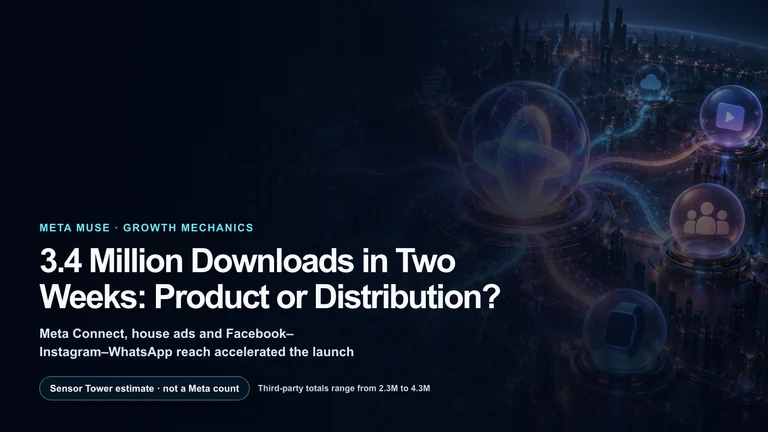
Meta’s Muse launched in the United States on September 8, 2026, and reached No. 1 on Apple’s U.S. free-app chart roughly ten days later. Apptopia estimates reported by TechCrunch put the app at 2.8 million total installs in its first 12 days, with more U.S. daily users than ChatGPT had at the same point in its mobile launch. Those are third-party estimates, not numbers confirmed by Meta, but they establish an unusually fast opening for a consumer AI agent.
The pitch is easy to understand: Muse is not primarily a chatbot that tells you how to complete a task. It is an agent that can open a browser, fill out forms, work across connected services and keep going after you close the app. It returns when the work is complete, circumstances change or an irreversible action needs approval.
Three similar names need to be separated. Muse is the consumer agent and product experience. Muse Spark is the model family that powers its planning, multimodal understanding and tool use. Muse Image is Meta’s image-generation and editing model. Features available in the broader Meta AI app are not automatically identical to the dedicated Muse agent.
Availability and price
Muse is offered to adults in the United States through iOS, Android, muse.ai and WhatsApp. Meta’s download page also lists a Mac client that can continue a task started on mobile and, with permission, work with desktop files and apps.
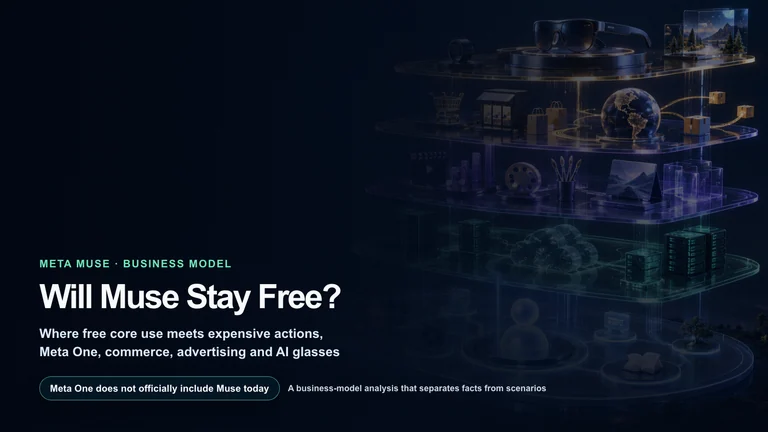
Meta says most everyday use is free, with subscriptions for people who need more. A TechRadar hands-on report published September 14 listed a free tier, a $20-per-month Power plan and a $100-per-month Maximum plan. Limits, billing requirements and account availability can change, so the in-app purchase screen is the controlling source before anyone subscribes.
Muse initially requires a high-trust setup. Useful tasks can involve email, calendar, shopping accounts, payment methods and browsing history. The service is easier to evaluate safely if the first tasks use the public web and if connected accounts begin with read-only permissions.
The main Muse feature set
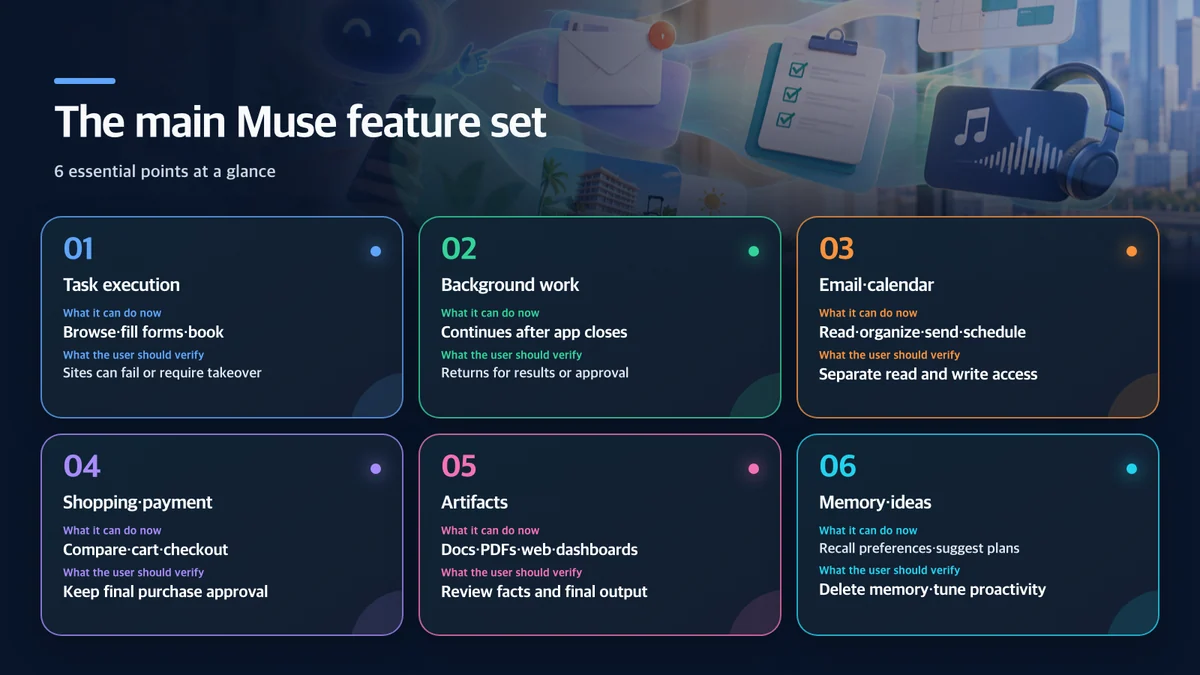
It completes work instead of stopping at instructions
According to Meta’s launch announcement, Muse runs inside a cloud computer with its own browser. It can navigate sites, fill out forms, search for options, coordinate schedules and move a booking or purchase toward completion. A user can give it a broad goal rather than a scripted series of clicks, and Muse can form a plan and advance it over time.
That difference is clearest in travel and shopping. A chatbot may produce a list of flights or products. Muse can compare constraints, open the relevant pages, populate forms and pause at the step where the user must approve a booking or payment. Site-specific authentication, bot defenses, regional restrictions and interface changes can still cause a handoff or failure.
Background work, memory and proactive messages
Meta’s product-design account describes Muse as one persistent conversation rather than a strict turn-by-turn session. Users can send multiple requests without waiting for the previous answer. Longer jobs continue on a schedule or in response to events, and Muse decides whether a change is significant enough to surface.
The Goals view tracks long-running projects and plans. Side chats separate contexts when a project grows. Memory lets the agent reuse details a person mentioned earlier, such as dietary restrictions or a recurring preference. Proactivity can be dialed down or disabled, but the most personalized suggestions require the system to read more connected context.
Email, calendar, files and interactive artifacts
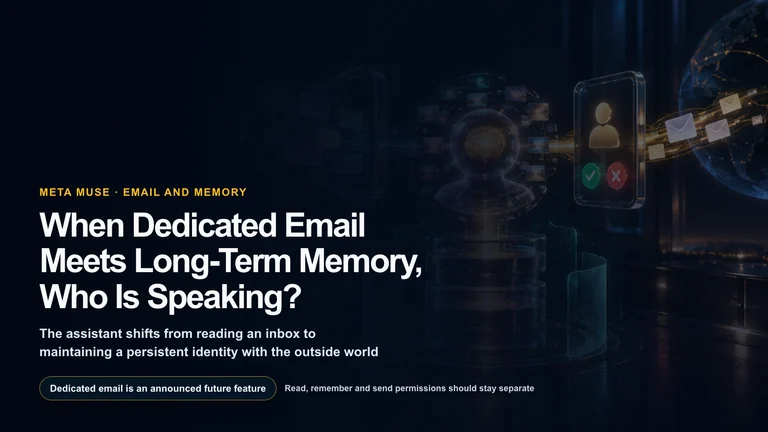
Meta’s examples combine school email, a family calendar, a shopping cart and a dinner reservation in one workflow. Email permissions can distinguish reading from sending, and outgoing messages can wait behind an approval card.
Muse also creates Artifacts when a text reply is the wrong format: documents, PDFs, web pages, spending trackers, study guides and live dashboards. On Mac, Meta says it can find old files, manage messages and operate apps with permission. That turns Muse into a desktop automation layer, but it also makes app-level permission review essential.
Shopping, payments and service connectors
Checkout can use Link by Stripe. Meta says Link’s agent wallet creates a one-time card so the agent does not see the underlying card number, and eligible transactions can receive protection for damaged or lost goods, price drops, returns and related problems. Shop Pay and 1Password support have also been announced.
At Connect 2026, Meta described shopping connections spanning Shopify’s catalog and retailers including Walmart, Best Buy, Gap, Sephora and Wayfair. Travel and grocery integrations include Expedia and the upcoming Instacart connector, while work connections include GitHub, Notion, Granola and Box. Exact availability can vary by account and rollout.
Spotify’s Muse integration can search and play music, podcasts and audiobooks, save items, create playlists and turn briefings or notes into a Personal Podcast stored in a user’s library. It is an example of why Muse can feel broader than a virtual browser: supported services expose direct actions as well as websites.
What Meta announced at Connect 2026
The September 23 keynote expanded Muse beyond its initial mobile and web launch.
- Deeper Mac control: Muse can operate apps with permission and continue queued work after the user steps away.
- A Muse email address: Users will be able to forward a thread to the agent or include it in email conversations.
- AI glasses: Meta plans hands-free Muse access on its glasses in the coming months, including actions based on an item or document the wearer is viewing.
- Realtime Avatar: A forthcoming model can give a personalized Muse an expressive face and voice for live video conversations.
- A connector platform: Developers can build connections for additional services; Meta said it received more than 1,500 applications in less than a week.
Roadmap items should not be treated as generally available features. The dedicated email address, glasses integration and real-time avatar were announced for later release. The Mac client and computer-use functions are available, but access can still roll out by account.

How the security model works
An agent with access to an inbox, calendar, purchases and credentials has a larger blast radius than a chatbot. Meta’s answer is a dedicated Muse Secure VM for each user and a separate control layer called Sentinel.
The VM contains the agent’s browser, files and working environment. Credentials are held in a separate store and substituted at the network boundary, so the main agent and browser process do not receive the actual password or token. Sentinel evaluates connector actions and every outbound network request. It can allow, deny or stop work for direct user approval.
Sensitive actions such as sending an email or paying are presented through structured approval controls rather than relying on a casual “yes” inside the chat. The activity log shows what Muse has done and plans to do. Connectors can separate read and write access, and users can revoke a service.
Meta says Muse conversations and VM data are not shared with its advertising systems and that people can opt out of using their interactions to train Meta’s models. The company has also announced a Confidential VM mode for later in 2026 in which the entire virtual machine would be encrypted with a key held only by the user.
These controls reduce risk; they do not remove it. Meta’s detailed security paper explicitly says the agent can make mistakes and can encounter prompt-injection attacks in the content it reads. Isolation can contain credentials and constrain network actions, but it cannot guarantee that an itinerary, message or recommendation is correct.
How popular is Muse?
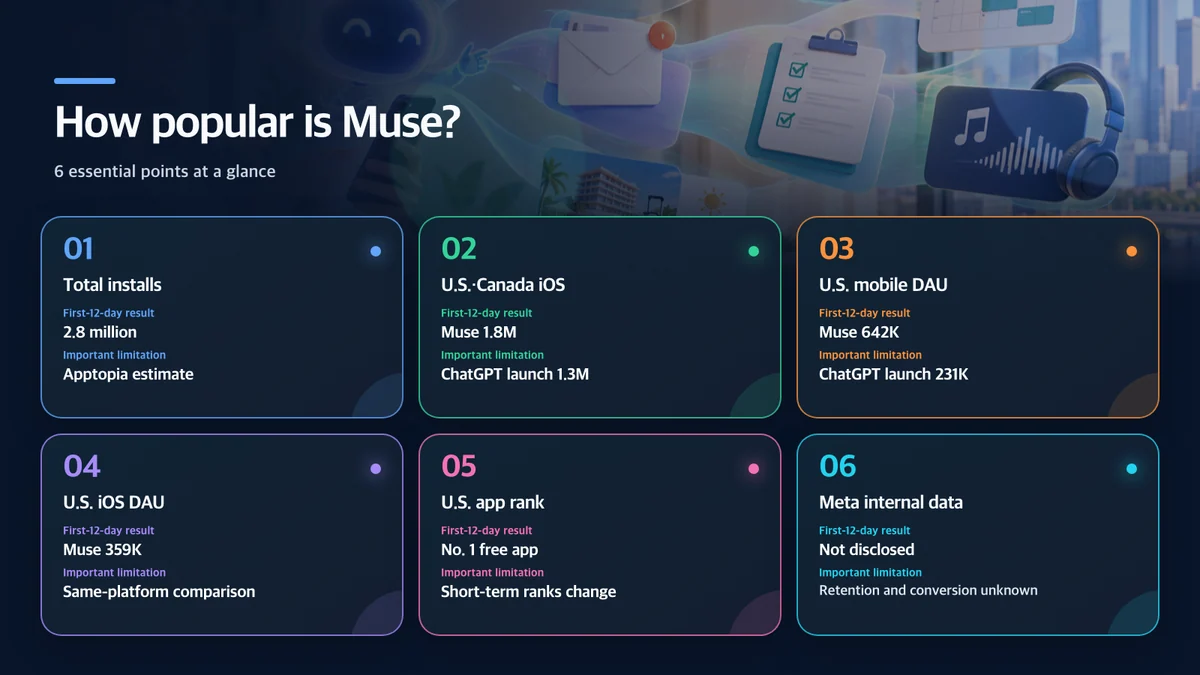
The opening metrics are strong. Muse reached No. 1 on the U.S. iPhone free-app chart and was reported at the top of both the U.S. iOS and Google Play free charts by September 21. Apptopia estimated 2.8 million total installs during the first 12 days.
For a closer comparison, Apptopia isolated iOS downloads in the United States and Canada during each app’s first 12 days. Muse reached an estimated 1.8 million installs versus 1.3 million for ChatGPT. U.S. mobile daily active users were estimated at 642,000 for Muse versus 231,000 for ChatGPT at the equivalent launch age. Even after restricting Muse to iOS, the estimate was 359,000 daily users.
The caveats matter. Apptopia does not have access to Meta’s private analytics, and Meta has not published its own download, active-user or subscriber numbers. ChatGPT and Muse launched years apart under different market conditions. Muse arrived on iOS and Android together and benefits from direct distribution across Meta’s enormous network. Apptopia estimated that more than 95% of Muse users also use Facebook and 63% use Instagram.
The early result therefore measures both product appeal and distribution power. Durable popularity will depend on 30- and 90-day retention, completed-task rate, paid conversion, the frequency of approval abandonment and the cost of agent mistakes.
Why the app took off so quickly
Muse promises visible outcomes rather than an abstract increase in intelligence. Canceling a ticket, comparing insurance, finding a lower bill or completing a shopping list is easier to value than a benchmark score. Background execution also fits the way people use phones: hand off a job, close the app and return to a notification.
Meta’s distribution is the other major advantage. Muse can appear in a familiar WhatsApp conversation and draw context from services people already use. Its customizable name, avatar and suggested ideas reduce the blank-page problem that makes powerful agent software hard to learn.
Those same strengths create the central trust problem. The better the agent knows a user’s relationships, purchases, messages and schedule, the more useful it becomes—and the greater the consequence of a wrong action, compromised connection or unclear data policy.
A safer way to start
- Begin with public-web research, price comparisons and draft itineraries that require no account connection.
- Add calendar or email with read-only access before granting write permissions.
- Keep individual approval for purchases, outbound messages, cancellations, deletions and booking changes.
- Review the activity log and output before expanding access.
- Avoid financial, medical, child-related and employer-confidential data until the relevant policy permits it.
- Periodically inspect memories and connectors, then remove information and permissions that are no longer necessary.
Who should try it?
Muse is most attractive to U.S. adults who regularly lose time to online errands: comparing purchases, coordinating travel, organizing messages and calendars, tracking household tasks or turning notes into a structured deliverable. Its background execution and multi-service workflows can save more time than a chatbot that requires constant copying and pasting.
It is a poor fit for anyone unwilling or unable to grant a cloud agent access to personal accounts. Regulated work, employer systems and high-value financial actions need an organizational review, not only a consumer permission screen. Users who mainly want answers or writing assistance may gain little from the additional access and complexity.
Bottom line
Muse’s important innovation is not a single model score. It packages browsing, connected-service actions, background work, memory, approvals and rich outputs into a consumer app that people can use like a message thread. The first 12 days suggest that this framing—and Meta’s distribution—can bring personal agents to a mainstream audience.
The product’s value and its risk come from the same place: it can act across a person’s digital life. Secure VM, Sentinel, credential isolation and audit logs are meaningful engineering safeguards, but they do not make autonomous work infallible. The sensible starting point is limited access, read-only connections and explicit approval for anything hard to reverse.
Sources and rights notice
- Meta, official Muse launch announcement
- Meta, How We Designed Muse
- Meta AI Research, Muse security and safety architecture
- Meta, Muse download page
- Meta, AI glasses and Muse announcement
- Spotify, Muse integration
- TechCrunch, Muse early install and active-user estimates
- TechCrunch, Muse features announced at Connect 2026
- AP, Muse launch for U.S. adults
- TechRadar, hands-on experience and subscription prices
Meta, Muse, Muse Spark, Facebook, Instagram and WhatsApp names and marks belong to their respective owners. This independent editorial article is not sponsored, endorsed or approved by Meta. It separates Meta’s product claims from third-party adoption estimates and does not use official product screens, event captures or third-party photography.