Microsoft Copilot Autopilot: The AI Agent That Keeps Working After You Leave
Most workplace AI still waits for a person. You ask for a meeting summary, request a draft or open a spreadsheet and describe the next calculation. When the conversation stops, so does the assistant.
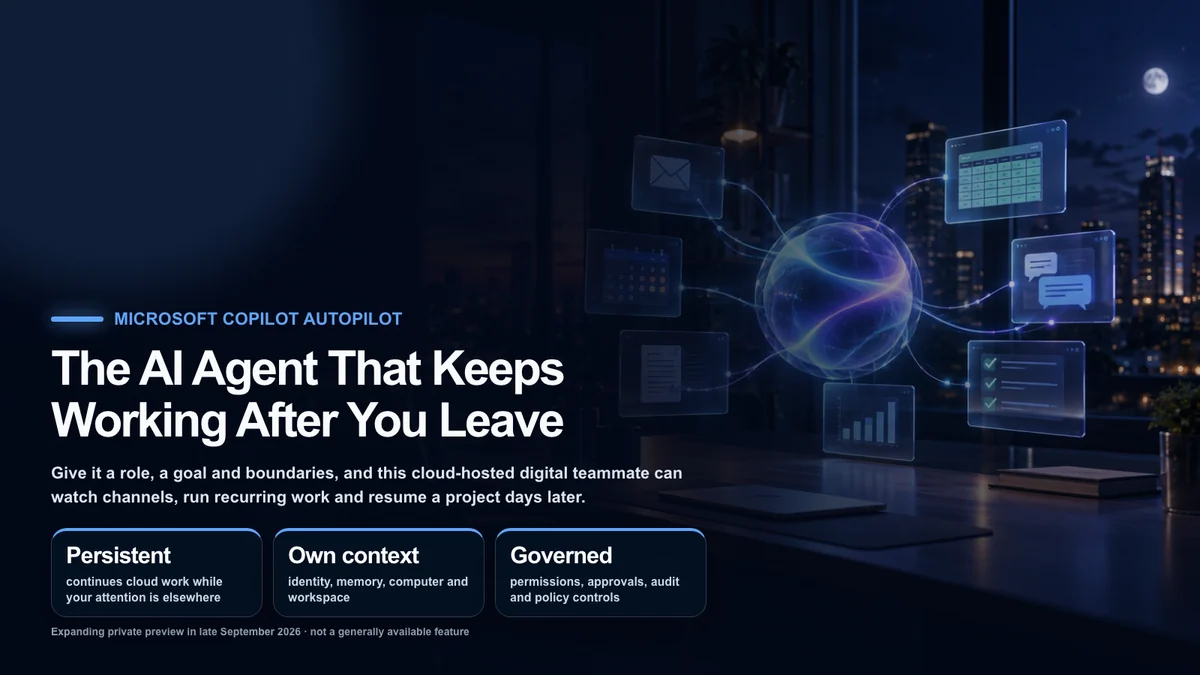
Microsoft Copilot Autopilot, announced on September 25, 2026, is designed around a different operating model. Give it a name, role, objective and boundaries, and the cloud-hosted agent can monitor selected channels, follow up on threads, run recurring processes and return to the same project days later. It is meant to keep working while its owner is asleep or focused elsewhere. Microsoft’s official announcement
That description needs an important qualifier: as of late September 2026, Autopilot is expanding in private preview. It is not a generally available feature that every Microsoft 365 customer can turn on today. Eligibility, regional availability and behavior may change as Microsoft tests it with more organizations.
Where Autopilot fits in the new Copilot
Microsoft’s announcement separates several ways people can work with Copilot.
Chathandles quick questions, lookups, summaries and first drafts.Coworkaccepts a complex outcome such as an RFP response, launch kit, customer briefing or financial close package.Codebuilds apps, trackers, dashboards, automations and internal workflows from natural language.Autopilotpreserves a role and objective over time, acting before the user sends the next prompt.
Home is the new starting point that brings Chat and Cowork together. Office in Copilot can create or update real, editable Word documents, Excel workbooks and PowerPoint presentations rather than returning a detached block of generated text.
Code uses underlying technology from GitHub Copilot, runs in a sandbox and can host internal solutions inside the organization’s tenant. Microsoft Copilot Managed Runtime is the preview hosting layer behind solutions made with Cowork, Code and Copilot Studio.
Autopilot therefore is not positioned as one universal bot that replaces every mode. It adds continuity and initiative to a system that already has fast conversation, delegated production work and software creation.
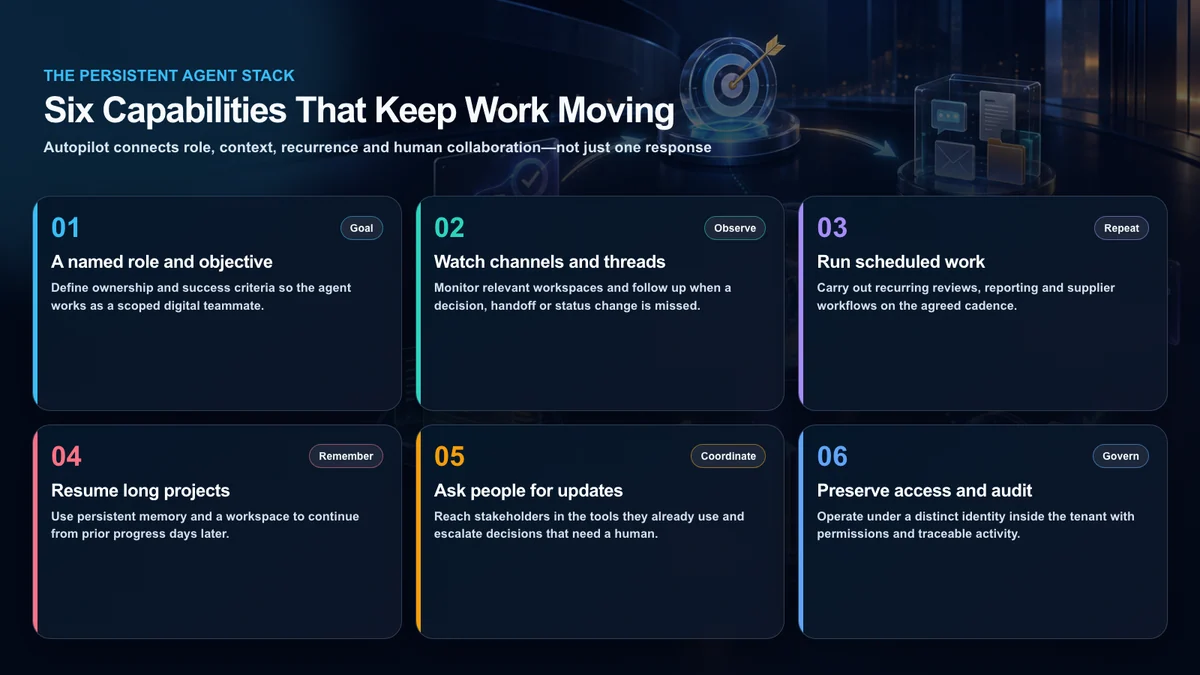
The six capabilities behind a persistent agent
1. A named role and measurable objective
An organization can assign the agent a role such as supplier review coordinator and define the result it owns. A useful objective includes the deliverable, deadline, audience, escalation path and stopping conditions. Persistence without a measurable finish line is just uncontrolled activity.
2. Monitoring across work channels
Microsoft says Autopilot can appear where people already work: Teams, Outlook, chats, channels and documents. It can watch a selected channel for a status change, revisit a thread that has no response and begin a follow-up without waiting for its owner to notice.
“Watch channels” should not be read as unrestricted access to every conversation. The usable scope should be determined by the identity and permissions assigned inside the tenant. The same feature that prevents a missed handoff can become a privacy problem if the access boundary is too broad.
3. Recurring and long-running work
Regular reporting, supplier reviews, status collection and deadline reminders are obvious candidates. Traditional automation can also run on a schedule, but Autopilot is intended to interpret the current conversation and documents, choose a next step and adapt when the routine encounters an exception.
4. Persistent working context
Microsoft describes every Autopilot as having its own identity, memory, computer and workspace. That language matters. The agent is not supposed to depend on an employee leaving a laptop session open. It maintains a separate work context that can preserve state between runs and resume a project days later.
5. Coordinating with people
A useful persistent agent knows when not to complete a task alone. It can ask a stakeholder for missing information and route policy, legal or financial judgment to the responsible person. In real organizations, identifying the right human decision point is often more valuable than attempting full autonomy.
6. Permissions, audit and governance
Autopilot operates under a distinct identity inside the tenant, with organizational controls around access and traceability. Administrators need to know who created the objective, which files the agent read, what it changed, whom it contacted and which human approved a consequential action. Microsoft IQ is presented as the context layer connecting enterprise knowledge and workflows to Copilot and its agents.
High-value U.S. use cases
The strongest early uses are not jobs that merely require more generated prose. They are processes that stop because ownership is fragmented across people, tools and time.
Supplier and security reviews
The agent can create a workback plan, collect questionnaires and evidence, schedule meetings and remind owners about missing answers. Microsoft uses supplier review as a featured Autopilot example. Pricing decisions, contract acceptance and risk sign-off should remain behind explicit human approval.
Sales account preparation
Before a customer call, the agent could gather approved CRM context, support history, open commitments and recent internal notes, then prepare a briefing. After the meeting, it could track promised follow-ups. It should not invent CRM facts or send commitments externally without review.
Financial close preparation
Autopilot can help collect departmental submissions, flag missing schedules and assemble a review packet. Accounting judgments, journal approval and external filing remain responsibilities for authorized people. The agent’s audit record should link every flag or summary to its source.
Product launch coordination
Launches involve marketing, legal, product, support and sales. A persistent agent can monitor dependencies, ask owners for status and produce a current readiness brief. Public claims, pricing changes and release decisions need accountable human owners.
Internal policy and compliance operations
The agent can monitor an approved repository for updated policies, identify teams that still need acknowledgment and prepare reminders. Access should be limited to relevant records, and employment, health or other sensitive information requires additional controls.
Small internal tools through Code
If a repeated process needs a tracker or dashboard, Code can build the tool while Autopilot keeps the process moving. The combination is potentially more important than either feature alone: one creates a purpose-built interface, the other maintains the workflow over time.
How this differs from ordinary automation
A conventional workflow is excellent when the rule is fixed: at 9 a.m. every Monday, copy a file, run a calculation and email a known distribution list. It is fast, inexpensive to test and predictable.
A persistent agent is better suited to a goal with a changing route. If an owner does not answer, it can follow up. If a new document arrives, it can incorporate the change. If a meeting moves, it can adjust the preparation plan. That flexibility also creates more branches, model calls and opportunities for error.
The result is not “replace every automation with an agent.” Deterministic workflows should remain deterministic. Agentic persistence earns its cost when the job spans conversations, documents and people and cannot be captured by a small set of stable rules.
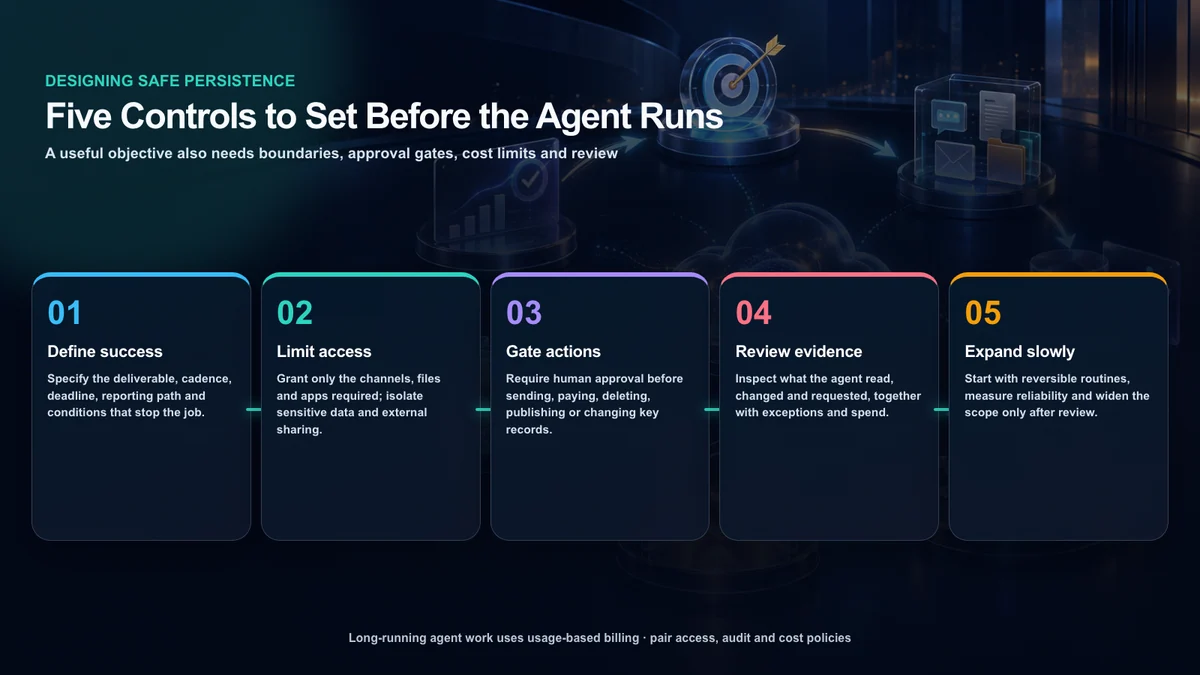
The controls to establish before launch
Define both success and stop conditions
“Manage this launch” is too broad. A safer assignment says what artifact is due, how often the agent may contact people, where it can post, when it must escalate and when it must stop. Repeated nonresponse should lead to a named human, not infinite reminders.
Use least privilege
Grant only the mailboxes, teams, folders, records and actions required for the task. Broad search, mass deletion and organization-wide messaging should not be defaults. Separate read access from write, send and delete permissions whenever the platform allows it.
Put approval gates before consequential actions
External messages, purchases, payments, publishing, account changes, contract acceptance, employee decisions and bulk record changes deserve a human checkpoint. The agent can prepare the action and its evidence; an accountable person confirms the target and effect.
Review exceptions, not just completions
An operation dashboard should surface low-confidence decisions, permission failures, repeated contacts, rejected recommendations and unexplained cost growth. A clean list of completed tasks can hide the behavior that most needs attention.
Start with reversible work
Begin with read-only collection, draft preparation and internal status flags. Measure error rates and exception types before adding write access or external communication. Expansion should follow observed reliability, not the novelty of the demo.
Usage-based cost changes the business case
Microsoft describes everyday Copilot use—answers, drafts, summaries and Office work—as part of a user subscription license. Long-running work through Cowork, Code and Autopilot uses usage-based billing.
That distinction matters because a persistent agent can consume models and tools when no employee is actively chatting with it. Administrators need per-agent budgets, alerts, approved model families, automatic stop thresholds and a way to compare credit use with business outcomes. Microsoft’s new FinOps controls are intended to make spending policy and usage history visible, but every organization still needs its own definition of acceptable value.
Ten questions for a private-preview evaluation
- Which tenant, plan, region and preview agreement are required?
- Who owns the agent’s identity and remains accountable for its actions?
- Can read, write, send, publish and delete permissions be separated?
- Can sensitive channels and external participants be excluded?
- Can human approval be technically enforced before high-impact actions?
- Does the audit record show the source and reason for each action?
- How long are memory and workspace data retained, exported and deleted?
- Can administrators cap spend and automatically pause the agent?
- How does ownership transfer when an employee changes roles or leaves?
- What is the tested stop, rollback and incident-response process?
Bottom line
The important idea in Copilot Autopilot is not the slogan that AI works overnight. It is that an agent can preserve operational state and responsibility between prompts. Monitoring a project, finding the right person and maintaining recurring work would create a genuinely different experience from a chatbot that only responds on demand.
But persistence also preserves mistakes. Excessive access, an ambiguous objective and runaway spend can continue while no one is watching. A sound rollout starts with narrow, reversible work and treats identity, permissions, approval, audit and cost as core product requirements—not administrative details to add later.
Trademark and image notice
Microsoft, Microsoft 365, Copilot, Teams, Outlook, Word, Excel, PowerPoint, GitHub and related marks belong to their respective owners. This is independent editorial coverage and is not sponsored or endorsed by Microsoft. The article images were created for this feature and do not reproduce company logos, product screens, third-party photographs or other third-party artwork.
Sources
- Microsoft: Introducing the new Copilot with Home, Code and Autopilot
- Microsoft: Copilot leadership update